Drive Mad Game Guide
Drive Mad is a physics driving game where the real challenge is not simply going fast. Players need to control acceleration, keep the vehicle balanced, land correctly, and adapt to ramps, gaps, bridges, and narrow platforms. This guide focuses on practical beginner habits that make the game less frustrating.
Quick Answer
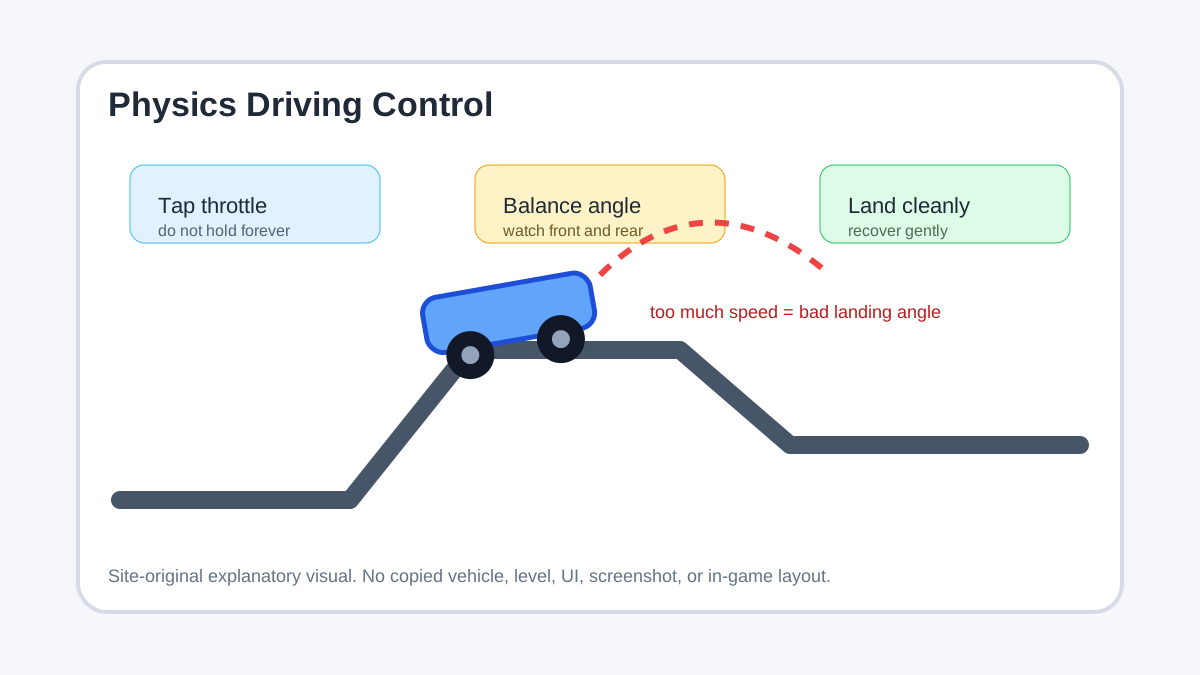
Drive Mad is a physics driving game where speed control matters more than raw acceleration. Beginners should tap the throttle, watch the vehicle angle, and prioritize clean landings over fast launches. The first step is learning how the car reacts on ramps, gaps, bridges, and narrow platforms. You improve by changing one variable at a time: approach speed, jump timing, or landing angle.
What is this game?
Drive Mad is a browser physics driving game built around short obstacle courses. Each level asks you to move a vehicle through unstable terrain without flipping, overshooting, or landing at a bad angle. It trends because it creates funny failures while still rewarding careful control.
Why is it trending?
Physics driving games are easy to share because one mistake can create a dramatic crash. Players search for Drive Mad tips when they realize holding acceleration is not enough and that small taps, balance, and landing angle matter more than raw speed.
Core Gameplay Loop
The loop is: start a level, accelerate carefully, cross ramps or gaps, manage the vehicle angle, recover from awkward landings if possible, and reach the finish. Most failures come from too much speed before an obstacle or from landing with the front or rear too high.
Play / Availability
Where to play safely: use the publisher, developer, platform, or established game portal page for Drive Mad. This site does not host, mirror, or distribute the game.
How to Play
How to Start as a Beginner
Key Mechanics
Main Features
Common Mistakes
Beginner Tips
How to Improve
Where to Play Safely
Use a reputable browser-game portal or the normal page where Drive Mad is available. This site does not host the game, mirror it, or provide game files.
Games Like It
FAQ
What is Drive Mad?
Drive Mad is a physics driving game about crossing obstacle courses while controlling speed, balance, and landing angle.
What is the biggest beginner mistake?
Holding acceleration the whole time. Most levels reward taps and balance more than constant speed.
How do I handle ramps?
Enter ramps with controlled speed and think about the landing angle, not only clearing distance.
How do I recover from a bad landing?
Use gentle corrections. Pressing harder often turns a small wobble into a flip.
Why are narrow platforms hard?
They punish poor alignment. Slow down and straighten the vehicle before committing.
Where can I play safely?
Use a reputable browser-game portal or normal game page. This site does not host or distribute the game.
What games are similar?
Look for physics driving, hill-climb, Moto X3M-style, and short obstacle-course vehicle games.
Related Pages
Update Log
- 2026-06-30 Generated by the fast SEO workflow as a low-risk trending-game informational page.
Disclaimer
This page is an independent fan-made informational guide. It is not a publisher page and does not host or distribute the game. We do not provide unsafe files, unsafe clients, exploits, account rewards, or unsafe game files.